€ 69,00 Sisältää arvonlisäveron
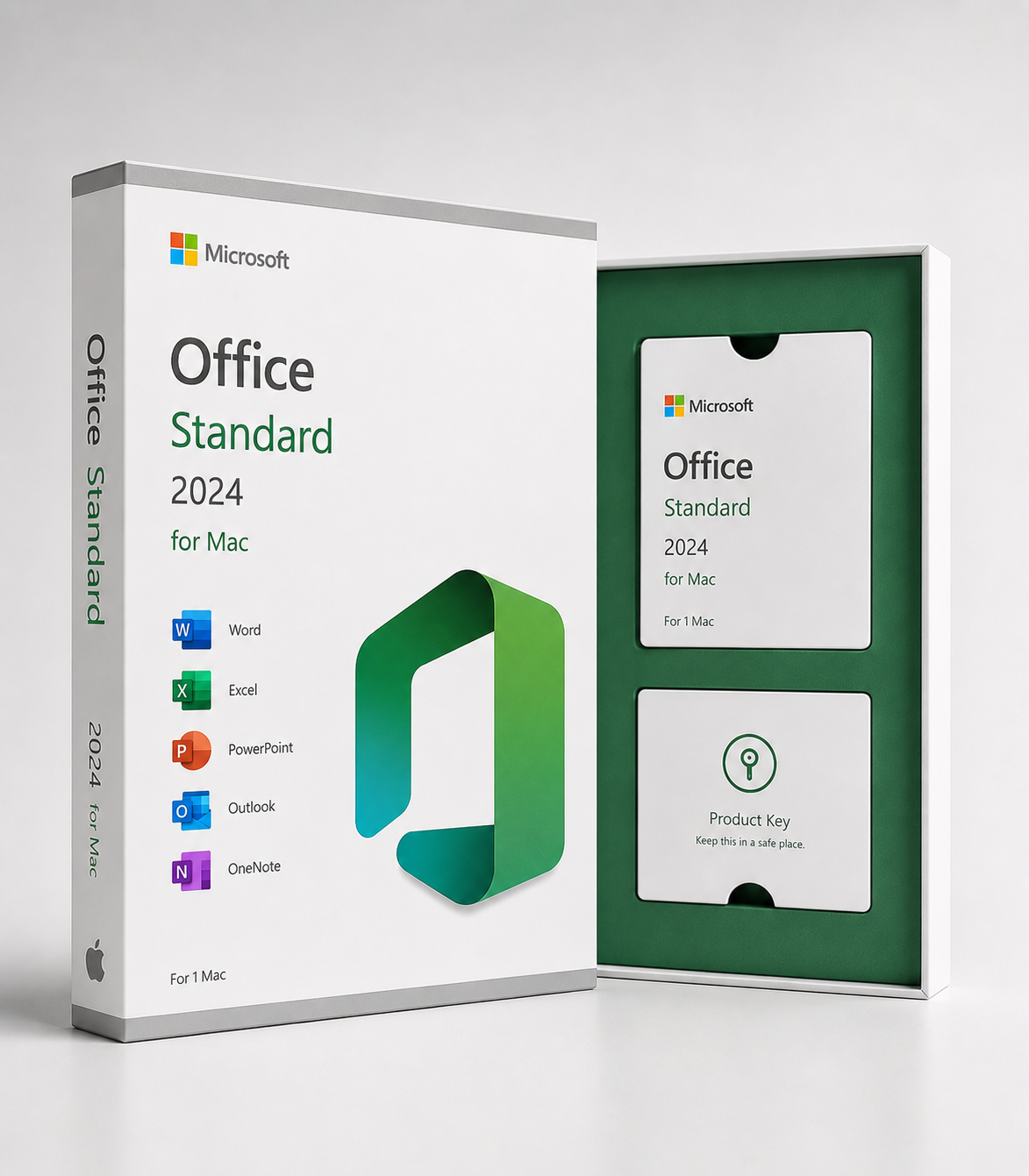
Microsoft Office LTSC Standard 2024 for Mac is a single-licensed Office suite for organizational and professional use on one compatible Mac computer.
The package includes Word, Excel, PowerPoint, Outlook, and OneNote. It does not include a Microsoft 365 subscription or the ongoing release of new features.
Microsoft Office LTSC Standard 2024 for Mac is a single-license Office desktop suite for organizations and professionals. It includes essential applications for document, spreadsheet, presentation, email, calendar, and note-taking.
You can use Word to create and edit documents, Excel to process calculations and data, PowerPoint to prepare presentations, Outlook to manage email, calendar, and contacts, and OneNote to organize notes and work materials.
Office LTSC 2024 is intended for environments that require a stable version of Office without the need for continuous feature releases. The product will receive security and quality updates during its support period, but will not receive continuous new features like a Microsoft 365 subscription.
The product does not include a Microsoft 365 subscription, cloud services, OneDrive storage included with the subscription, or automatic access to a future major version of Office.
According to the product page, the license is for one Mac computer. The product is delivered digitally via email, and installation and activation are done using the instructions provided in the Licensing channel.
Product key information:
Important Licensing note: Office LTSC Standard for Mac 2024 is a Microsoft Volume Licensing product for organizations. The product page must indicate the exact channel, license basis, activation method, and any transfer terms for the license to be delivered before purchase.
| Product type | Microsoft Office LTSC Standard 2024 for Mac – Digital Volume License |
|---|---|
| Edition | Office LTSC Standard for Mac 2024 |
| License model | Volume license for organizations |
| License period | Perpetual license to that Office LTSC 2024 version under the terms of the license agreement provided |
| Number of devices | According to the product page, 1 Mac. Please check the actual per-device license in the supplied volume license agreement. |
| Intended use | Organizational, business and professional use under the terms of the volume license provided |
| Chassis | macOS |
| Area | Valid in EU and EEA countries, including Finland, if the license provided is intended for that region |
| Language | Multilingual. Available languages depend on the Microsoft Mac installation package and version shipped |
| Included applications | Word, Excel, PowerPoint, Outlook and OneNote |
| Microsoft 365 services | Not included |
| OneDrive storage | Not included as a separate subscription benefit |
| New features | No ongoing feature updates after release |
| Security and quality updates | Included during Microsoft support period |
| Installation | Digital download via Microsoft Mac installation package or organizational software distribution |
| Activation | Activation according to the volume license provided. The method can be based on, for example, the Mac Volume License Serializer solution |
| Microsoft account | Should not be declared mandatory for activation without accurate supplier confirmation |
| Delivery | Digital delivery via email |
| Authenticity | Original licenses are purchased through verified European suppliers or distribution channels and delivered to Finnish customers. |
| Mac compatibility | macOS versions currently supported by Microsoft. Please check for up-to-date compatibility before purchasing. |
| Apple silicon | Supported in compatible Microsoft-supported versions of Office for Mac |
| Intel Mac | Compatibility depends on the version of macOS you are using and current support from Microsoft. |
| Next major version of Office | Not included. Newer major version requires separate license |
| Start of support | September 18, 2024 |
| End of support | 9.10.2029 |
| Brand | Microsoft |
Aitous: Alkuperäiset lisenssit hankitaan varmennettujen eurooppalaisten toimittajien tai jakelukanavien kautta ja toimitetaan suomalaisille asiakkaille. Lisenssitalo tarjoaa tukea mahdollisissa aktivointi- tai varmennusongelmissa.
How is the product delivered?
The product will be delivered digitally via email. You will receive download instructions, and installation and activation instructions for the license channel you are receiving. A physical product package will not be sent.
How long does delivery take?
Delivery usually takes place within 5-30 minutes after order and payment confirmation. In the event of manual verification or other additional processing, delivery may exceptionally take up to 24 hours.
What do I get after purchase?
You will receive delivery information, download instructions, and activation instructions for your Office LTSC Standard 2024 for Mac license according to your license channel.
Is this a recurring subscription?
No. This is a one-time license for Office LTSC 2024 under a volume licensing agreement that is being delivered. There is no monthly or annual fee for the product, like a Microsoft 365 subscription.
Is this a Microsoft 365 subscription?
No. Office LTSC Standard 2024 is a single-licensed desktop version and not a Microsoft 365 subscription.
What applications are included in the package?
The package includes Word, Excel, PowerPoint, Outlook and OneNote.
Is Outlook included in the product?
Yes. Office LTSC Standard for Mac 2024 includes Outlook for email, calendar, and contact management.
Is Access included in the product?
No. Microsoft Access is not available for Mac and is not included with this product.
Is Publisher included in the product?
No. Publisher is not included in the Office LTSC 2024 package.
Is Microsoft Teams included in the product?
No. Microsoft Teams is not pre-installed in Office LTSC 2024. Teams must be purchased or downloaded separately under applicable use rights.
Is OneDrive storage included in the product?
Not as a benefit like a Microsoft 365 subscription. OneDrive requires a separate Microsoft account or an organization’s Microsoft 365 subscription.
Will Office LTSC 2024 get new features?
Not continuously. Office LTSC 2024 will receive security and quality updates, but it will not have regular new features added like Microsoft 365 Apps.
Can I get the next version of Office for free?
No. The one-time license entitles you to use Office LTSC Standard 2024. The next major version of Office requires a separate license.
How many Mac computers can I use the license on?
According to the product page, the license is for one Mac. However, the actual usage rights must be checked in the volume license agreement provided.
Can the product be used in a company?
Yes. Office LTSC Standard for Mac 2024 is intended for organizational and business use through volume licensing agreements.
Can a private individual purchase the product?
According to Microsoft, Office LTSC Standard 2024 is a volume licensing product intended for organizations. The license house must ensure that the license provided can be legally transferred to the buyer and for the intended use.
Do I need a Microsoft account?
A Microsoft account should not be required for activation without vendor confirmation. Office LTSC for Mac volume licenses can be activated using organizational activation according to the licensing channel.
How do I activate the product?
Activation is done using the instructions provided with the volume license. For the Mac version, this may mean using a license package provided by your organization or using the Volume License Serializer solution.
Can I enter a regular product key into an Office application?
It depends on the licensing channel you are shipping. Office LTSC for Mac volume licensing may not use the same key and Microsoft account method as Office Home or Home & Business consumer products.
Does the product work on a Windows computer?
No. This product is for Mac computers. A separate Windows compatible Office license is required for Windows.
Which macOS versions does the product work with?
Office for Mac supports the macOS versions specified by Microsoft at that time. Microsoft’s Mac support changes as new macOS versions are released, so you should check compatibility before purchasing.
Will the product work on Apple silicon Macs?
Yes, on a compatible version of macOS supported by Microsoft. However, please check your device’s operating system and the current system requirements.
Will the product work on an Intel-based Mac?
It can work if your Mac is capable of running a version of macOS supported by Microsoft. Older Intel Macs may not be supported due to operating system limitations.
Can the license be activated in Finland?
Yes, if the license you submit is intended for the EU or EEA area and its terms allow use in Finland.
Is the license worldwide?
Not based on the current information on the product page. The page states the region as EU and EEA countries.
What languages does the product support?
Office for Mac is available in multiple languages. The languages available depend on the Microsoft Mac installation package and the version shipped.
Is an internet connection required?
Internet access is typically required for software downloads, updates, and some activation methods. Activation requirements for a KMS or organizational environment may differ.
Can I install the product alongside Microsoft 365?
Running multiple versions of Office at the same time can cause activation, update, and compatibility issues. It is generally a good idea to uninstall your previous Office installation before deploying an LTSC version.
Can I transfer the license to another Mac?
Transferability depends on the terms of the volume licensing agreement provided. Do not assume that a license is transferable before reviewing the terms.
How long will Microsoft support the product?
Office LTSC 2024 mainstream support ends on October 9, 2029. No separate extended support period has been announced for the product.
What happens after support ends?
The apps may still work, but Microsoft will no longer provide regular security and quality updates or technical support. After support ends, you should consider switching to a supported version of Office.
Will my files be preserved during the installation?
Installing Office software usually doesn’t delete your personal files, but it’s a good idea to back up important documents, Outlook data, and other work materials before installing or removing a previous version of Office.
Can I get help with installation or activation issues?
Yes. The license house will help with delivery, license information, and activation issues. Large-scale deployment and device management for an organization may require its own IT specialist.
What do I do if activation fails?
Verify that the installed product is Office LTSC Standard for Mac 2024, the macOS version is supported, and you are using the activation method that matches the provided licensing channel.
If the problem persists, contact Lisenssitalo customer service and include the order number, error message and, if possible, a screenshot.
I haven’t received an email. What should I do?
Check your spam, advertising and promotions folders. Also make sure that the email address you used to order is correct. If you cannot find the message, contact Lisenssitalo customer service and provide your order number.
Can I return the product?
A digital product order can usually be canceled before the license is delivered or activated. An activated and working digital license usually cannot be returned simply because of a change of mind.
If the delivered license does not work or does not match the stated edition, license channel, number of devices, or region, please contact Lisenssitalo customer service for technical support, a replacement license, or a refund in accordance with the applicable terms.
Where can I find more information about the product?
Check the product page for licensing information and up-to-date information from Microsoft about Office LTSC for Mac deployment, activation, macOS compatibility, and product lifecycle.
Digitaalinen toimitus sähköpostitse tavallisesti 5–30 minuutin kuluessa. Poikkeustapauksissa toimitus voi kestää enintään 24 tuntia maksun vahvistamisesta.
Tilauksen voi peruuttaa ennen lisenssin toimittamista. Jos toimitettu tai aktivoitu lisenssi ei toimi, tarjoamme teknistä tukea, korvaavan lisenssin tai sovellettavien ehtojen mukaisen hyvityksen.
Käsittelemme henkilötietoja turvallisesti ja järjestelmällisesti EU yleisen tietosuoja-asetuksen mukaisesti.
Maksut käsitellään turvallisesti salattujen yhteyksien ja tunnettujen maksupalveluntarjoajien kautta.